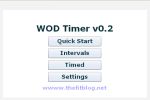
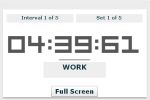
I spent a bit more time on WOD Timer and fixed some issues.
Added features include:
- Full Screen support
- Settings menu - control auto full screen and audio cues
- Audio cues now include vocal, beep and… wait for it… none.
- Added validation on the interval settings fields
Finally, I’ve also built an AIR version of WOD Timer. This version can be installed locally on you computer. Follow the instructions below.
To install locally, you will need to first install the Adobe AIR runtime. You can download and install the runtime from the Adobe Air download page:
Install Methond
- Click here to download and install Adobe AIR Runtime
- Then, click here to install WOD Timer
- When asked to save or open by your browser, just open the file
- Finally, when shown the warning, click “install” and then “continue”
As always, leave feedback in the comments section!















9 Comments, Comment or Ping
Hey,
It’s Jamie right? Well I just watched your muscle-up vid then skipped over to see what this timer is all about and it’s awesome. It sounds like you programmed it? If that is correct, I was wondering how proficient you are with programming and whether or not you know if this timer could somehow make it to an Ipod? Having it customizable and portable would be even more awesome. Anyways, I know that could be a lot harder, but maybe not, let me know.
January 28th, 2009
Thanks Kyle! Working on the iPod (touch) version. It’ll be a slow process, but hopefully in the next short while I’ll have something.
Thanks for the comment.
January 28th, 2009
Sounds good man. Could you let me know when it’s done and do you mind if I put it on my site?
January 29th, 2009
sounds awesome, but I couldn’t get the onscreen one to launch in either safari or firefox on my mac…
February 10th, 2009
Doh - looks like the file got corrupted on the server some how. It should be working now. Sorry about that.
February 10th, 2009
Hello, your timer looks great; but I miss an important feature so I ask:
it would be beautiful if it could manage supersets as in the “the abs challenge” training program where the work part is split in two.
For example:
30 sec WORK - exercise 1
30 sec WORK - exercise 2
20 sec REST
… and again.
Thank you!
March 11th, 2009
This is a great app! Thank you so much!
February 8th, 2010
Dear Jamie,
I am not able to set the timer right.
I would like to do the following settings
I have ten exercises
I do sixty seconds for each exercise
Rest time between each exercise is 10 seconds
Rest time between sets (completing the ten exercises is one set)
I have three sets
60sec -rest 10 sec - 60 sec - rest 10….at end of set (10 exercises) rest 2 Minutes.
Would you please show me how to set the timer to do that.
Thank you
Sami Bakir
March 17th, 2010
Dear Jamie,
I figured it out. You have a bug
1- when I put 10 interval, it is not showing the number
2- If I put 10 without choosing pre-sets, it will show me an error
3- Therefore I chose Tabat and then changed the figures to what I need and it worked nicely.
I liked it and I will start using it.
Thank you for this utility
March 17th, 2010
Reply to “WOD Timer Updated! v0.2 - with Full Screen and Downloadable!”